User Guides
DJ / Artist Guide
🎧 DJ / Artist User Guide — Getting Started with evev.love
Welcome to evev.love, Myanmar's electronic music community! This guide covers everything you need as a DJ or artist: setting up your profile, managing events, receiving gifts from fans, tracking earnings, and cashing out.
🎵 Artist Account Setup
Logging In
Artists log in the same way as fans — using your Myanmar mobile number and a one-time OTP code.
- Go to Login
- Enter your phone number (without +95)
- Tap
Send OTP Code
- Enter the 6-digit code
- Make sure to select
Artist
if you're creating a new account
💡 Already registered as a Fan? Contact support to upgrade your account to Artist status.
👤 Your Artist Profile
Your public profile is how fans discover you. Make it shine!
Public Profile Page
This is what fans see when they visit your page:
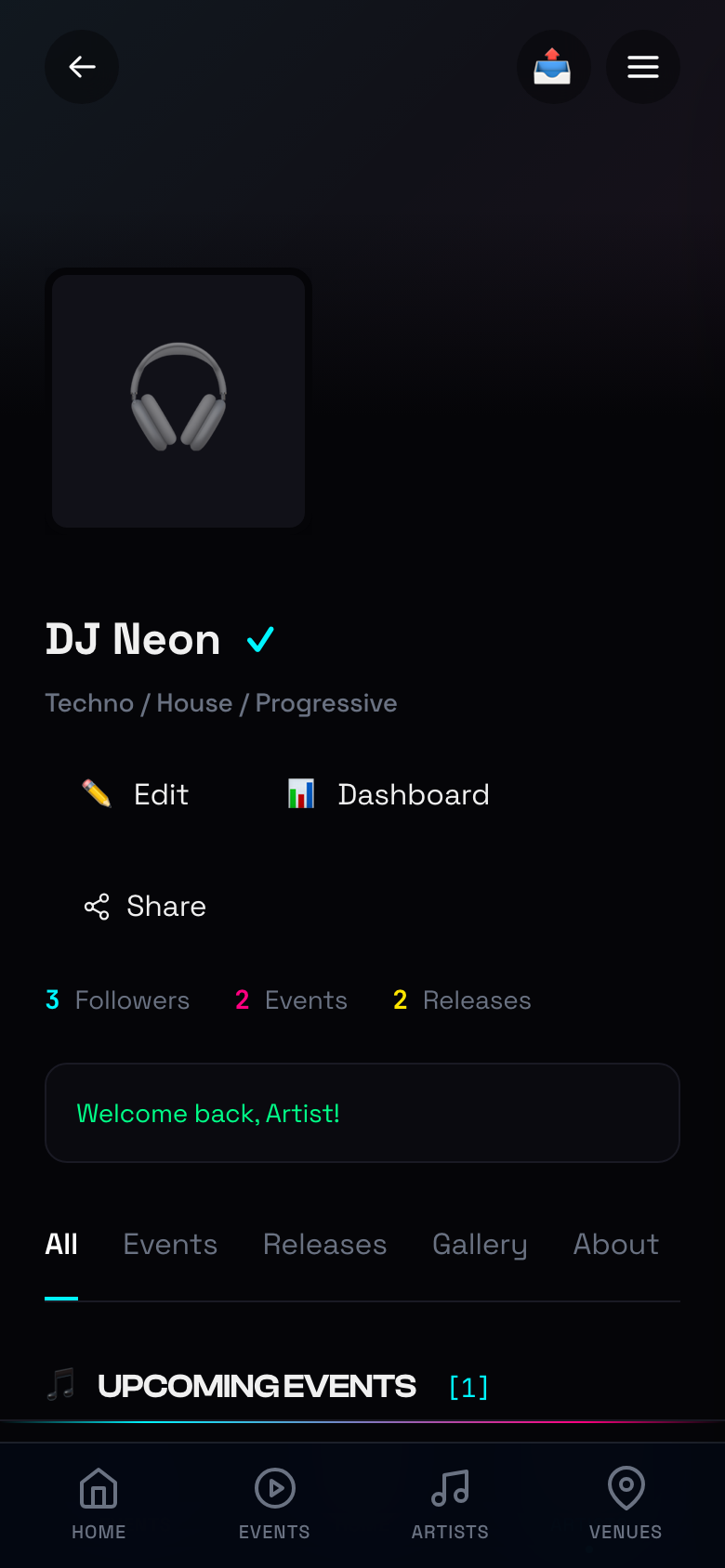
Your profile displays:
- Stage Name with verified badge (✓)
- Genres — Techno, House, Progressive, etc.
- Stats — Followers, Events, Releases
- Quick Actions — Edit, Dashboard, Share
- Tabs — Events, Releases, Gallery, About
Editing Your Profile
Tap Edit on your profile to update your information:
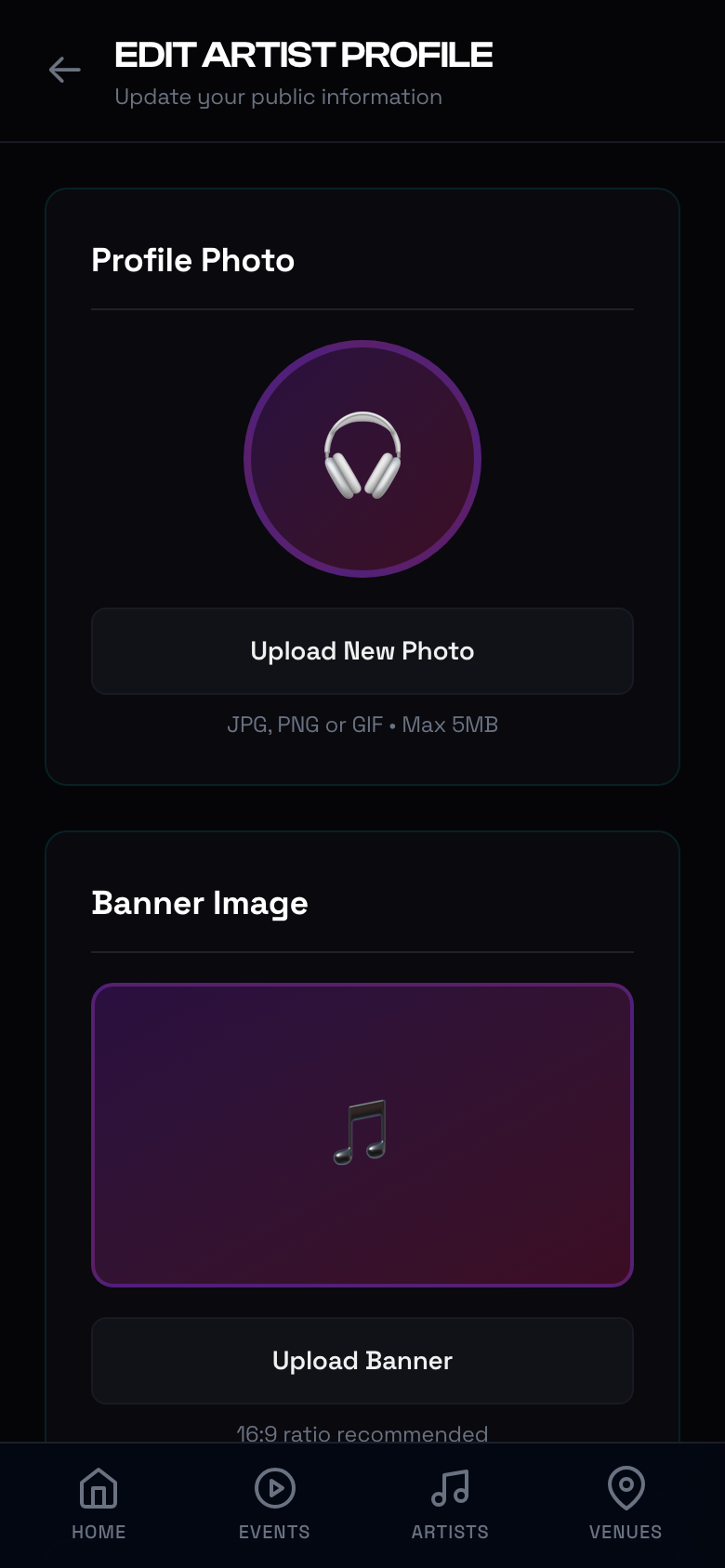
You can customize:
- Profile Photo — JPG, PNG, or GIF (max 5MB)
- Banner Image — 16:9 ratio recommended
- Stage Name — Your DJ/artist name
- Bio — Tell your story
- Genres — Select your music styles
- Social Links — Facebook, Instagram, SoundCloud, etc.
- MMQR Payment Details — For receiving payouts
💡 Tip: A complete profile with photos and social links gets more followers and gift support!
📊 Artist Dashboard (Console)
Your Artist Console is mission control for your career on evev.love.
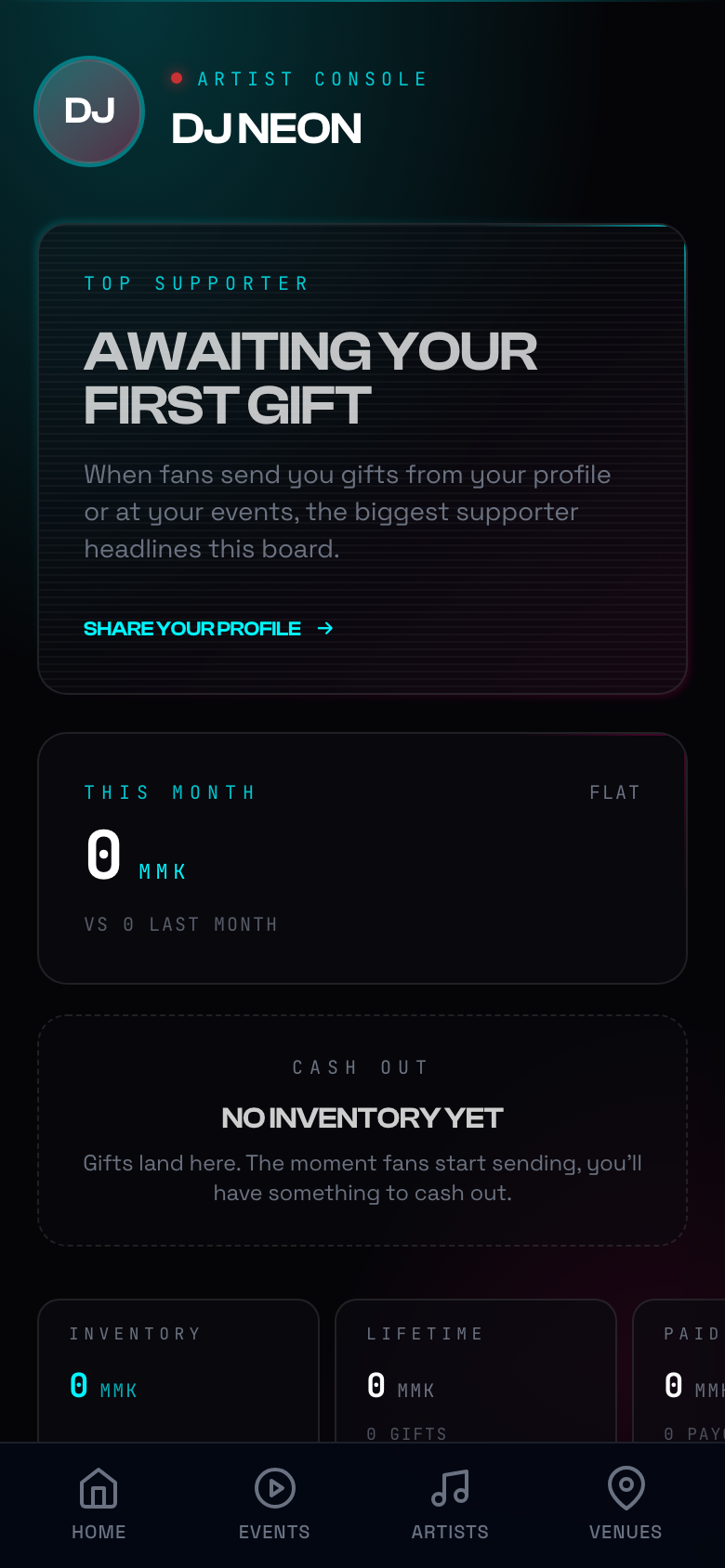
Dashboard Sections:
| Section | What It Shows |
|---|---|
| Top Supporter | Your biggest fan gift sender (headlines when you have gifts) |
| This Month | Gift earnings vs. last month with growth percentage |
| Cash Out | Current inventory value ready to withdraw |
| Inventory | Total value of gifts you can cash out |
| Lifetime | All-time gift value and count |
| Paid Out | Total amount already withdrawn |
Key Metrics:
- 📈 Track monthly growth trends
- 🎁 See which gifts fans send you most
- 👥 Monitor follower growth
- 🎉 Identify your top-gifted events
🎉 Event Management
As an artist, you can create and manage your own events on the platform.
Creating an Event
Navigate to Events → Create Event to plan your next show:
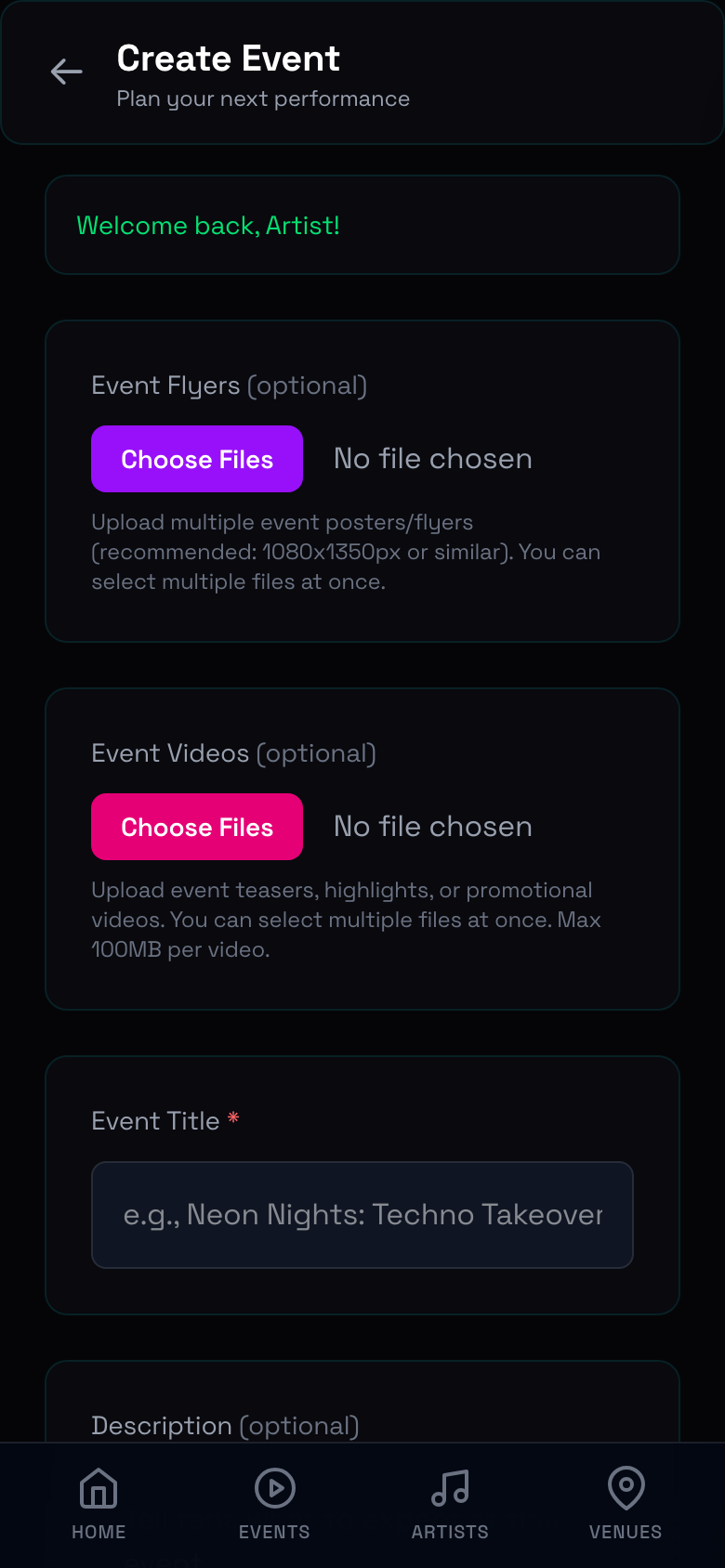
Event Form Fields:
| Field | Required | Description |
|---|---|---|
| Event Title | ✅ | e.g., Neon Nights: Techno Takeover |
| Description | — | Details about the event |
| Venue | ✅ | Select from existing venues or request a new one |
| Date & Time | ✅ | When your event starts and ends |
| Lineup | ✅ | Add yourself and other artists |
| Event Flyers | — | Upload posters (recommended 1080×1350px) |
| Event Videos | — | Upload teasers or promos (max 100MB) |
| Ticket Types | ✅ | GA, VIP, Early Bird, Table packages |
Managing Your Events
After creating an event, you can:
- Edit details anytime before the event starts
- View ticket sales and revenue in real-time
- Check which fans have bought tickets
- See gifts received during the event
🎁 Receiving Gifts
Fans can send you digital gifts as appreciation for your music and performances.
How Gifts Work:
- Fans buy gifts from the Gift Shop (Rose, Fire, Heart, Crown, Diamond)
- They send gifts to you from your profile page or during events
- Gifts land in your inventory at their buyback value
- You can cash out anytime — no minimum threshold!
Gift Inventory:
Your inventory shows:
- How many of each gift type you own
- Total buyback value per gift type
- Overall available cash-out amount
💡 Tip: Share your profile link on social media so fans can send you gifts even when you're not performing!
💸 Cashing Out
Turn your fan appreciation into real MMK.
Cash-Out History
View all your past and pending withdrawals:
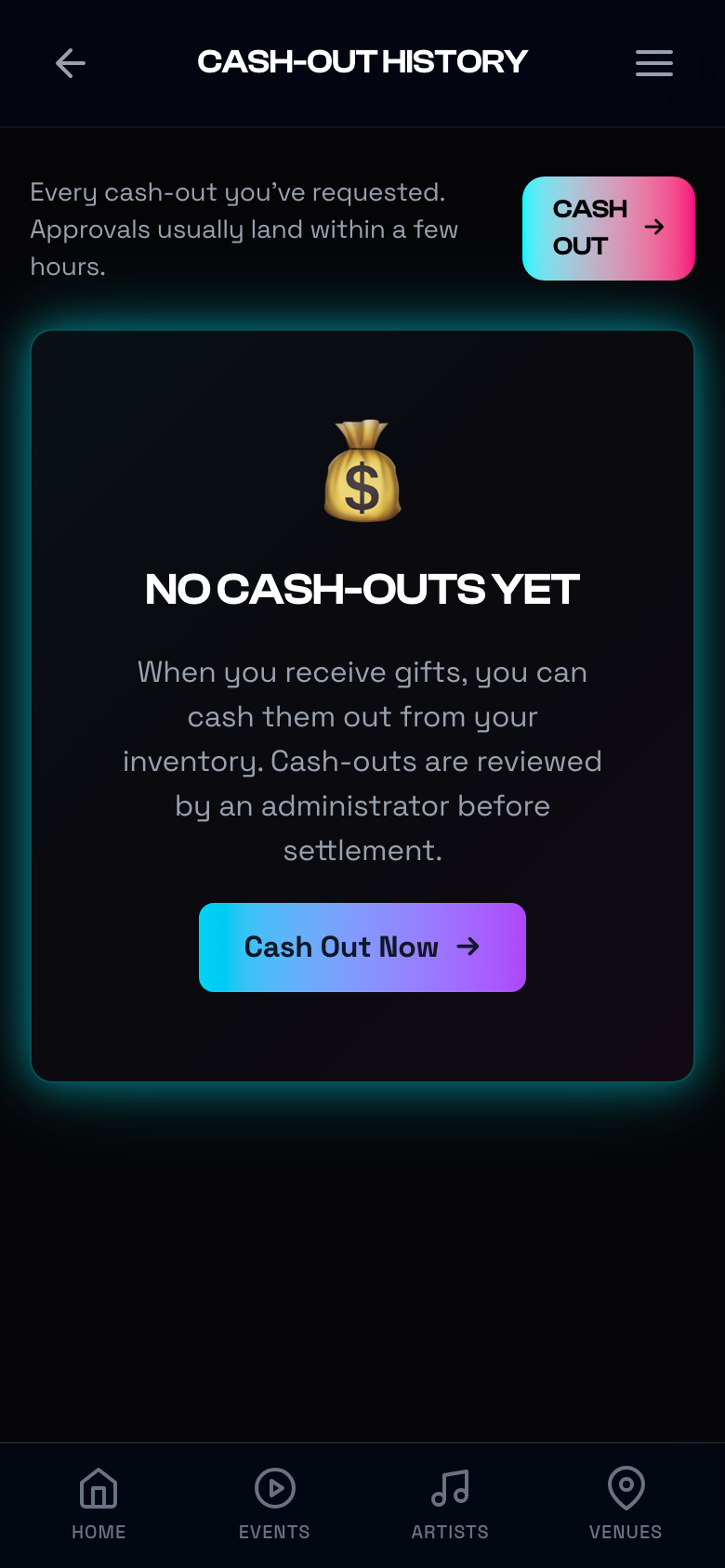
How to Cash Out:
- Go to Dashboard or Cash-Out History
- Tap
Cash Out Now
- Enter the amount you want to withdraw
- Confirm your MMQR payment details (KBZ Pay / AYA Pay)
- Submit your request
- An admin will process your payout via MMQR
Payout Statuses:
| Status | Meaning |
|---|---|
| ⏳ Pending | Request submitted, awaiting admin review |
| ✅ Paid | Money sent to your MMQR account |
| ❌ Voided | Request cancelled (reversed transaction) |
💰 No minimums, no waiting periods — cash out whenever you want!
🎵 Releases
Share your tracks, mixes, and EPs with the community.
Releases Page
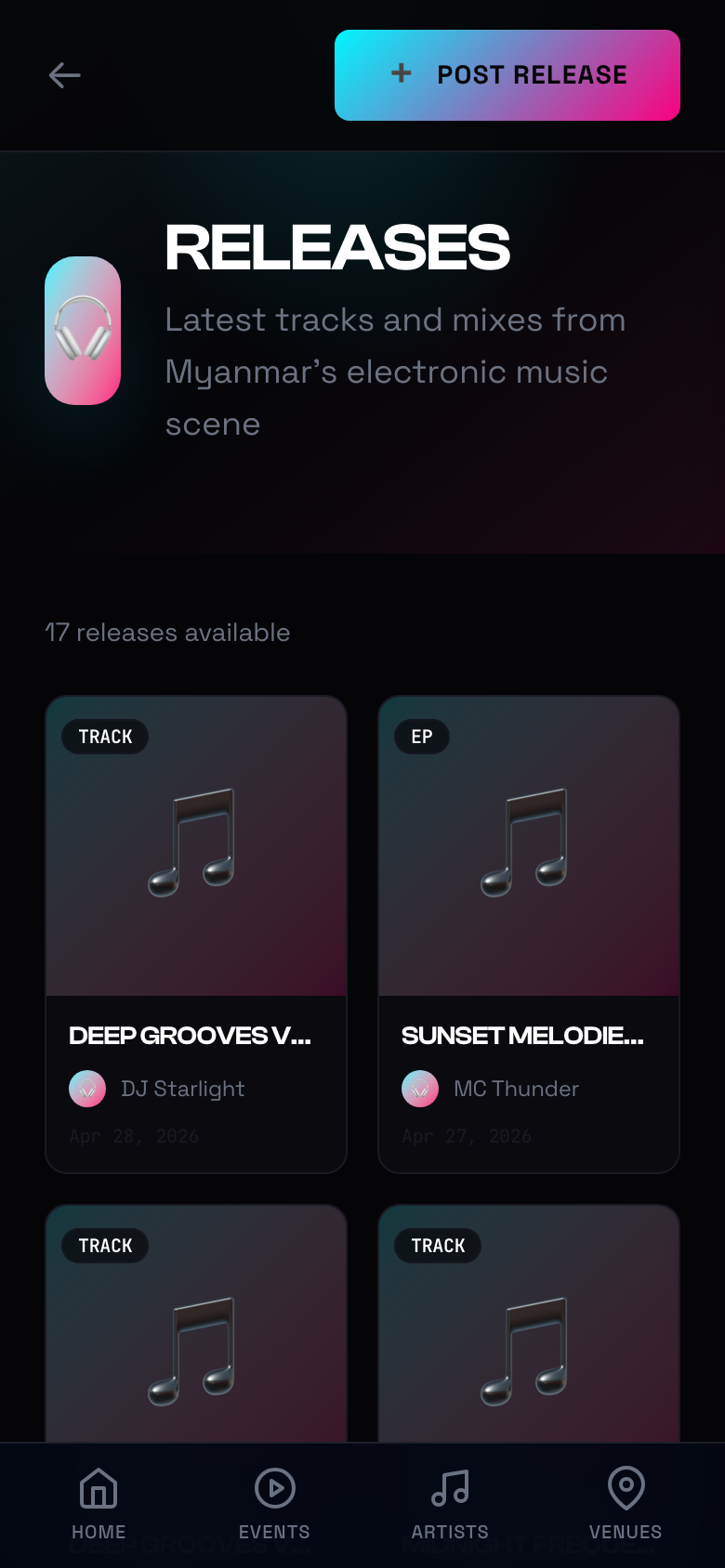
Browse all releases from Myanmar's electronic music scene, or post your own.
Posting a Release:
- Go to Releases → Post Release
- Select release type: Track, EP, Album, or Mix
- Enter title and description
- Add streaming links (SoundCloud, YouTube, Spotify, etc.)
- Upload cover art
- Publish!
Your releases appear on:
- Your public artist profile
- The global Releases feed
- Fans' discovery pages
📈 Growing Your Presence
Tips for Success on evev.love:
| Strategy | How-To |
|---|---|
| 📝 Complete your profile | Add bio, genres, photos, and social links |
| 🎉 Create events | List every gig — even small ones build your portfolio |
| 🎵 Post releases | Share new tracks and mixes regularly |
| 📢 Share your profile | Use the Share button to post your evev.love link on social media |
| 🎁 Engage with gifters | Thank fans who send gifts — they'll send more! |
| 📊 Check your dashboard | Monitor what works and double down |
🆘 Help & Support
Need help with your artist account?
- Email: artists@evev.love
- In-app: Profile → Support
- Verification issues: Contact support if your artist verification is pending
✅ Quick Reference
| Task | Path |
|---|---|
| Edit Profile | Profile → Edit |
| View Dashboard | Profile → Dashboard |
| Create Event | Events → Create Event |
| View Earnings | Dashboard |
| Cash Out | Dashboard → Cash Out / Gift Payouts |
| Post Release | Releases → Post Release |
| Share Profile | Profile → Share |
🎉 You're Ready!
Now you know how to:
- ✅ Set up and customize your artist profile
- ✅ Create and manage events
- ✅ Receive and track digital gifts from fans
- ✅ Cash out your earnings via MMQR
- ✅ Post releases and grow your following
Go build your fanbase — Myanmar's electronic music scene is waiting! 🎧🔥